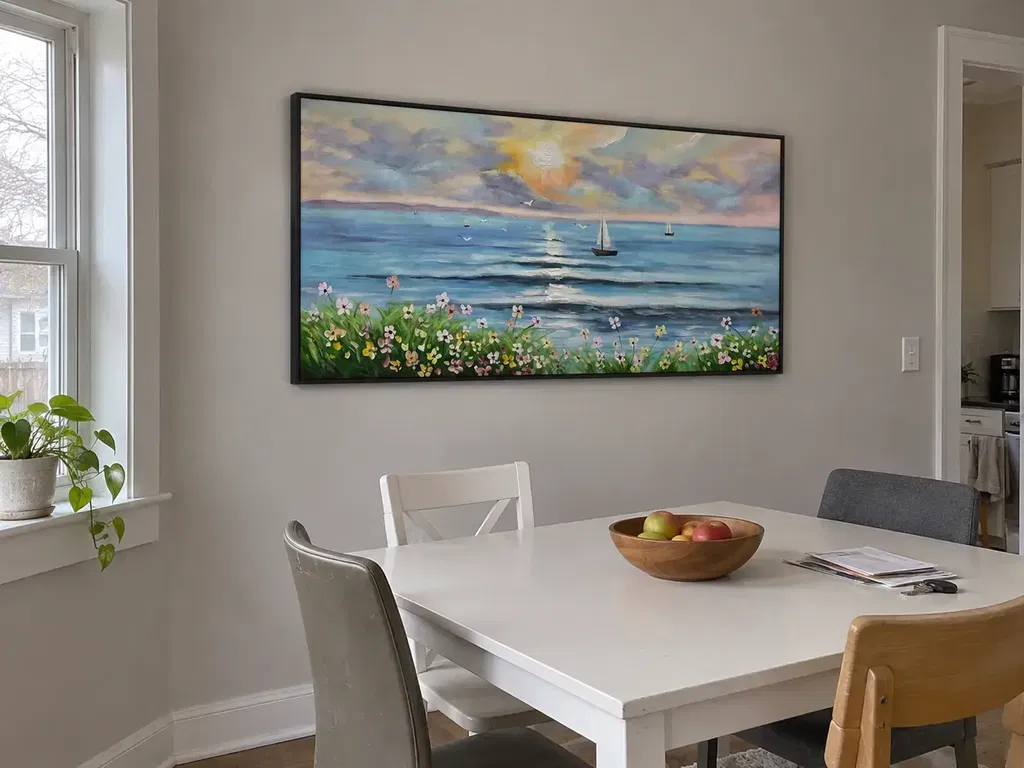
A wall art replacement program is a documented internal process for identifying artwork, approving a replacement, coordinating purchasing and installation, verifying the result, and closing the record. It helps hotel operations, procurement, corporate facilities, hospitality coordinators, and multi-unit property teams manage replacements without reconstructing the project history each time.
The program should separate the artwork's stable identity from its current room or property, assign owners for each decision, and distinguish a like-for-like replacement from an approved substitute. Treat the framework below as practical operating guidance—not a formal industry standard.
Why a Wall Art Replacement Program Matters Across Properties
Handling each replacement as a one-off request creates predictable gaps: a room number may be recorded without a stable artwork ID, purchasing may not know which version was approved, and an apparently similar substitute may be installed without a documented deviation. A wall art replacement program turns the request into a traceable sequence from the initial trigger through verified closeout.
Start by assigning responsibility for inventory updates, approval, purchasing, installation review, and final sign-off. One person may hold more than one role on a small project, but the record should still show who completed each step. Keep the artwork identity unchanged when a piece moves; update its location instead.

Use three replacement paths in the request record:
- Like-for-like: the approved artwork and its documented specifications remain the target.
- Approved substitute: the original is unavailable or unsuitable, and a named approver accepts the recorded deviations.
- Hold for review: dimensions, finish, hardware, condition, or site information is too uncertain to release the order.
This distinction prevents a temporary decision from becoming an undocumented property standard.
Build a Commercial Art Inventory That Supports Reorders
A reorder-ready commercial art inventory connects a stable artwork ID to its current location, physical and visual specifications, supplier path, photos, condition, status, and dated decisions. Use the following as recommended minimum fields for an internal record, not as a universal requirement.
| Inventory field | What to record | Why it matters during replacement | Who verifies it |
|---|---|---|---|
| Stable artwork ID | Permanent asset identifier; do not encode a room number unless the format clearly separates the two | Keeps identity intact when artwork moves, is repaired, or is reassigned | Inventory owner |
| Property and location | Property, building, floor, room, wall, or area; include current status | Tells the team where the piece is now without redefining what it is | Site or facilities lead |
| Photos | Current front view, installed context, frame, label, and relevant hardware when safely documented | Helps compare the record with the physical piece and identify changes | Site or facilities lead |
| Dimensions and orientation | Art-only and overall framed dimensions, plus vertical or horizontal orientation | Prevents a frame or replacement from being ordered from an incomplete measurement | Design, facilities, or vendor |
| Frame finish and hardware | Finish, profile if known, mounting hardware reference, and whether the information is verified | Makes differences visible before approval; it does not prove compatibility | Facilities or installer |
| Palette and visual standard | Approved colors, subject or style boundaries, placement rules, and adaptable details | Gives approvers a consistent basis for reviewing substitutes | Design or brand owner |
| Supplier and purchase history | Supplier, product or commission reference, order record, contact path, and last-confirmed date | Provides a practical route for reordering or investigating the original | Procurement |
| Condition and status | Current condition, damage notes, repair or replacement status, and disposition | Separates routine turnover from incident review and prevents stale records | Operations or facilities |
| Decisions and versions | Approver, accepted deviations, date, inventory version, and open exceptions | Preserves the reason behind a substitute or changed specification | Project owner |
Identity and Physical Specification Fields
- Identity: stable artwork ID, property, building, floor, room, wall or area, and current status.
- Physical record: art-only and overall framed dimensions, orientation, frame finish, and documented hardware reference.
- Visual record: current front and installed-context photos, palette, subject or style boundaries, and placement notes.
- Verification status: condition, last-confirmed date, and a clear flag for any legacy measurement or hardware detail that still needs verification.
Use a stable artwork ID that is independent of the property and room location. If a legacy record has only a wall location or an unverified measurement, flag it for verification rather than treating the field as complete. For sizing context, teams can also consult oversized art sizing guidance, but the actual replacement decision should use the project's verified wall, frame, and placement information.

Approved Visual and Finish Standards
| Standard | Record to keep | Approval owner | Consequence if it changes |
|---|---|---|---|
| Palette | Preferred colors and any colors or combinations to avoid | Design or brand owner | A substitute may need a visual review before ordering |
| Subject or style | Acceptable subject, abstraction, texture, or composition boundaries | Design or project owner | A similar category does not automatically mean an acceptable substitute |
| Frame finish | Finish, profile, and whether the detail is fixed or adaptable | Design and procurement | Record the accepted deviation and affected locations |
| Orientation and placement | Vertical or horizontal orientation, wall area, sightline, and placement notes | Site or design lead | Recheck the location if dimensions or layout change |
These standards support consistency without promising identical visual reproduction. When the original is unavailable, identify which details are fixed, which may vary, and who can approve the variation.
Supplier and Reorder Information
- Supplier path: supplier identity, product or commission reference, contact path, and purchase history.
- Order context: destination, quantity, budget or purchase reference, and quoted timing only when confirmed for the specific order.
- Record controls: last-confirmed date, fallback path, unresolved questions, and the person responsible for confirmation.
Capture the date each detail was last confirmed. Do not turn a prior order into a standing promise about availability, price, packaging, compatibility, or lead time. Mark each unresolved item as open so procurement knows what still needs confirmation.
Set Consistency Controls Before Approving Substitutes
Hotels and offices keep replacement artwork consistent by documenting approval boundaries rather than assuming that a visually similar piece or previous hardware setup is equivalent. A named approver, current version, recorded deviation, and project-specific check should be in place before the order is released.
| Decision to control | Approver | Evidence to review | Version update |
|---|---|---|---|
| Visual match or approved variation | Design or brand owner | Palette, subject, texture, photos, and placement context | Record the accepted deviation and affected locations |
| Dimensions and orientation | Design, facilities, or site lead | Verified art-only and framed dimensions and wall information | Update the approved candidate and location record |
| Frame and finish | Design and procurement | Current finish, profile, and supplier details | Note fixed versus adaptable details |
| Mounting and site conditions | Facilities or qualified installation reviewer, as appropriate | Current hardware, wall condition, attachment method, and site documentation | Keep open questions open until reviewed |
| Approval scope | Project or program owner | Property, room, affected locations, and exception record | Mark whether the decision is local or portfolio-wide |
Approval Gates and Version Control
Use this sequence for each substitute or changed specification:
- Confirm the request: record the property, location, stable artwork ID, reason, required date, condition, and known constraints.
- Check the current record: verify the inventory version, photos, dimensions, orientation, finish, palette, supplier reference, and open exceptions.
- Compare the candidate: identify what matches, what differs, and what remains unknown.
- Obtain approval: name the person accepting the candidate and any documented deviations.
- Update the record: add the candidate reference, decision date, approver, version, and affected locations.
- Release the order: send procurement and the supplier the approved version, not an earlier attachment or informal message.
A change that affects only one property should not silently become a portfolio-wide standard. State the scope of every approval.
Replacement Tolerances and Hardware Checks
Treat replacement tolerances as project-specific approval rules covering six areas:
- Visual: palette, subject, texture, and overall appearance.
- Dimensional: art-only size, framed size, orientation, and available wall area.
- Finish: frame finish, profile, surface treatment, and any approved variation.
- Placement: wall, room function, sightline, and surrounding layout.
- Mounting: documented hardware, attachment method, wall condition, and product-specific requirements.
- Site conditions: changes to walls, finishes, layouts, access, or existing installation points.
Exact limits, load capacities, and compatibility must come from current product, hardware, and site documentation. If mounting is damaged, unstable, or uncertain, pause the replacement decision and arrange an appropriate qualified facilities or installation review before removal or reinstallation. This is process guidance, not a universal code or legal determination.
The Office & Corporate collection can serve as a navigation path when a team is browsing commercial art categories, but it should not be treated as proof of a specific product's dimensions, hardware, availability, or compatibility.
Run the Replacement Workflow by Project Scenario
Use one seven-step workflow for every request, then branch the checks when the event changes the site, schedule, or level of uncertainty:
- Identify the trigger, property, location, stable artwork ID, reason, required date, and constraints.
- Isolate the affected record and mark the piece or location as pending, damaged, missing, or under review.
- Inspect the artwork, dimensions, photos, condition, and existing installation information; escalate uncertain site conditions for appropriate review.
- Select the like-for-like, approved substitute, repair, temporary hold, or other documented path.
- Approve the candidate, deviations, scope, budget reference, and inventory version.
- Order and schedule using current supplier confirmation, destination, access, finishing needs, and project deadline.
- Verify and close with installation evidence, updated condition and location, purchasing status, photos, exceptions, and final sign-off.
Turnover and Routine Room Changes
- Inspect the room and identify missing or damaged artwork.
- Retrieve the current record and confirm the replacement path.
- Schedule access, then close the request with an installed photo and condition update.
The main failure point is usually an incomplete current record, not a complex change in project scope. Do not mark the request complete just because an item was delivered; confirm that the intended room and wall received the approved piece.
Damage and Incident Replacements
- Capture photos and condition notes when it is safe and appropriate.
- Separate artwork condition from mounting condition and record both.
- Route uncertain or damaged mounting conditions for appropriate qualified review.
- Record whether repair, replacement, or a temporary hold was approved, along with the basis for that decision.
Repair should not be assumed to be safe, economical, available, or visually equivalent. Record the damage type, frame and artwork condition, mounting uncertainty, repair information, cost and schedule inputs, approval, and the standard the result must meet before closing the incident.
Renovation and Phased Refreshes
- Freeze and export the current artwork schedule before walls, finishes, layouts, or hardware change.
- Review changed site conditions and classify each piece as retain, move, repair, replace, or hold.
- Track each phase under its own approved version, with access dates and open site questions.
- Update the record after the site review and coordinate delivery and installation against the phase schedule.
A schedule that was accurate before demolition may not remain accurate after wall dimensions or installation points change. Coordinate against the phase's access date rather than relying on an old room list.
Expansion and Multi-Property Rollouts
| Rollout stage | Record or decision | Decision owner | Completion check |
|---|---|---|---|
| Pilot | Reference artwork standard and fixed versus adaptable details | Design, brand, or project owner | Pilot approval and documented exceptions |
| Property adaptation | Site dimensions, placement, finish, and mounting questions | Property or facilities lead | Site-specific review completed or open items assigned |
| Purchasing | Approved candidate, quantities, destinations, and current supplier confirmation | Procurement | Order matches the approved version |
| Installation | Installed location, condition, photos, and exceptions | Site or installation lead | Each property is checked, not assumed complete |
| Audit | Deviations, transfers, unresolved fields, and final version | Program owner | Exceptions logged before rollout closeout |
A rollout should not be considered complete merely because all orders shipped. Audit each property, record approved differences, and update the inventory so the next replacement starts with the installed reality.
Make the Handoff Checklist Ready for the Next Replacement
A useful handoff gives the receiving team the current inventory export, approved standard, supplier path, open exceptions, version date, and named owners. Use this short control list before the detailed project checks:
- Owner and due date: assign a responsible person and deadline for every open decision.
- Record location: identify the current inventory export, approved version, and storage location.
- Exception status: label each item verified, approved with deviation, open, or not applicable.
- Next action: state what the receiving team must do before release, ordering, installation, or closeout.
Pilot the checklist on one property or project phase, correct the gaps, and then make the revised version the operating standard.
Before Project Release
- [ ] Owner and due date: assign operations, facilities, design, procurement, site, and final-approval roles as needed.
- [ ] Source record: attach the current inventory export, stable artwork IDs, locations, photos, condition, and version date.
- [ ] Scope: identify turnover, damage, renovation, expansion, or another trigger.
- [ ] Open fields: flag unverified dimensions, hardware, finish, supplier availability, and site conditions.
- [ ] Exception path: name the approver for visual, dimensional, finish, orientation, or mounting deviations.
At Ordering
- [ ] Approved version: send the candidate, accepted deviations, and current version to procurement and the supplier.
- [ ] Order inputs: confirm destination, quantities, budget or purchase reference, access needs, and required date.
- [ ] Timing: obtain current supplier confirmation for customization, finishing, shipping, approvals, and installation coordination.
- [ ] Unknowns: keep unresolved specifications or compatibility questions marked open rather than implying they are complete.
At Installation
- [ ] Site check: compare the actual wall, dimensions, finish, orientation, and documented hardware with the approved record.
- [ ] Review trigger: pause and route damaged or uncertain mounting conditions for appropriate qualified review.
- [ ] Evidence: capture the installed location, artwork, frame, and relevant condition details when appropriate.
- [ ] Exception status: record any approved field change before the installer or site lead signs off.
At Closeout
- [ ] Inventory update: change location, condition, status, photos, supplier reference, and version history.
- [ ] Purchasing close: attach the final order information and note unresolved vendor items.
- [ ] Approval close: record the final approver, date, accepted deviations, and affected property or rooms.
- [ ] Next-owner handoff: state who maintains the record and where the next request should begin.
Start with one property or one renovation phase. After the pilot, correct missing owners, unclear fields, and repeat exceptions before extending the wall art replacement program across the portfolio.
FAQs
These questions address record ownership, order timing, damage decisions, transfers, and the information procurement needs before review.
What Is the Best Way to Assign IDs to Artwork Across Multiple Properties?
Use a stable portfolio-level identifier and keep property, area, room, and wall references in separate fields. When a piece moves, record the transfer date, prior and new location, custody, condition, destination approval, and new photo rather than creating a second identity.
How Far in Advance Should a Commercial Art Replacement Be Ordered?
Work backward from the required installation date using current supplier confirmation, customization or finishing needs, destination, approval time, site access, and the project deadline. There is no reliable universal ordering window, so the supplier must confirm timing for the specific order and destination.
Should Damaged Wall Art Be Repaired or Replaced?
Compare the damage, artwork and frame condition, mounting condition, repair information, cost, schedule, and approved visual and physical standard. If mounting is uncertain or damaged, obtain an appropriate qualified review before removal or reinstallation and record why the final path was chosen.
How Can Teams Track Artwork That Moves Between Properties?
Keep the stable artwork ID and create a transfer event with the old and new locations, transfer date, custody, condition, destination approval, and updated photos. For temporary storage, use a storage or custody status instead of deleting the prior location.
What Should a Replacement Request Include Before Procurement Reviews It?
Include the property and location, stable artwork ID, reason, photos, condition, required date, art-only and framed dimensions, orientation, hardware or site constraints, purchase reference, approved path, and named approver. Mark availability, timing, hardware, and dimensions as open when they have not been confirmed.